Introduction
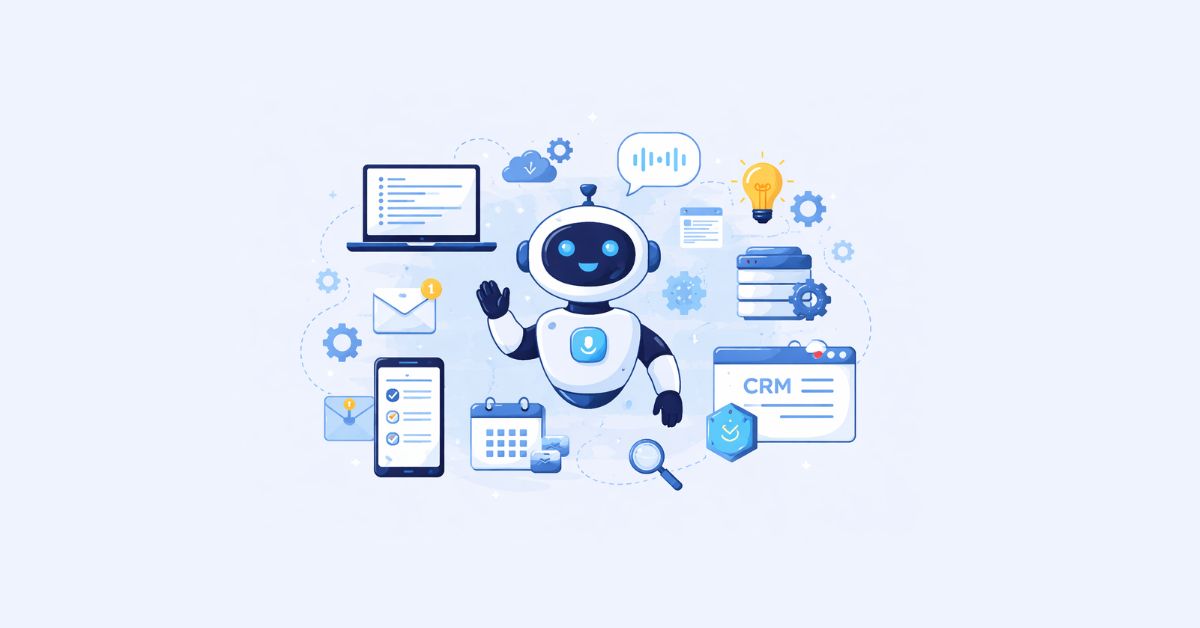
Businesses are rapidly shifting from software tools to AI-driven workflows. Instead of opening 10 different apps, companies now use one intelligent system that can reply to emails, analyze data, schedule meetings, generate reports, and even make decisions.
This guide explains how to build an AI assistant that actually helps your business — not just a chatbot that answers questions.
Whether you are a startup founder, operations manager, or developer, this step-by-step tutorial will show you how to create an AI assistant from scratch and turn it into a real automation employee.
- What Is a Personal AI Assistant?
- How an AI Assistant Actually Works
- Step-by-Step: How To Build an AI Assistant
- Example Architecture (Simple View)
- What Can a Business AI Assistant Automate?
- Cost to Build a Custom AI Assistant
- Common Mistakes When Building an AI Assistant
- Best Starting Use Case (Recommended)
- Future of Business AI Assistants
- Final Thoughts
- FAQs
What Is a Personal AI Assistant?
A personal AI assistant is a software system powered by artificial intelligence that performs tasks automatically based on instructions, data, and goals.
Unlike chatbots, a custom AI assistant can:
- Read and send emails
- Manage CRM updates
- Generate reports
- Book meetings
- Analyze spreadsheets
- Answer team questions
- Connect multiple business tools
Think of it as a digital operations executive working 24/7.
How an AI Assistant Actually Works
Before learning how to make an artificial intelligence assistant, you need to understand its 5 core components:
- Brain (AI Model)
The language model that understands and responds (LLM) - Memory
Stores conversations, company data, and past actions - Tools / Integrations
Connects to Gmail, Slack, CRM, or databases - Decision Logic (Agent System)
Chooses what action to take - Interface
Chat, voice, dashboard, or WhatsApp
If any one of these is missing, you don’t have an assistant — you have a chatbot.
Step-by-Step: How To Build an AI Assistant
Step 1 — Define the Business Tasks
Start by deciding what you want the assistant to do.
Example automation tasks:
- Lead qualification
- Customer support replies
- Report generation
- Appointment scheduling
- Internal knowledge answering
Important:
Businesses fail because they try to build a “general AI”.
Instead, build a task-focused AI assistant first.
Step 2 — Choose the AI Model
This is the brain of your assistant.
You can choose:
| Type | Use Case |
|---|---|
| Cloud LLM (API) | Fast & powerful |
| Open-source model | Private data |
| Local model | Full control |
When learning how to make your own AI assistant, start with an API model because infrastructure complexity becomes low.
Step 3 — Give the AI Knowledge (RAG System)
An assistant without knowledge is useless.
You need to connect your business data:
- Documents
- Website pages
- Product catalogs
- CRM records
- Policies
- FAQs
This process is called Retrieval Augmented Generation (RAG).
How it works
- Upload company data
- Convert to embeddings
- Store in vector database
- AI retrieves relevant info before answering
Now the AI doesn’t guess — it answers using your company knowledge.
This is the biggest difference between a chatbot and a custom AI assistant.
Step 4 — Add Memory
To properly build an AI assistant, it must remember things.
Memory types:
Short-term memory
- Conversation context
- Ongoing tasks
Long-term memory
- Customer preferences
- Repeated workflows
- Team instructions
Example:
Without memory: “What is my order status?” → AI asks again
With memory: AI knows customer history automatically
Step 5 — Connect Business Tools (Actions)
Now your assistant becomes useful.
You must give it the ability to do things, not just talk.
Connect tools like:
- Calendar
- CRM
- ERP
- Database
- Slack
- Google Sheets
This turns it into a real business automation system.
Example workflow:
Customer asks refund →
AI checks order →
Verifies policy →
Creates ticket →
Sends confirmation
No human involved.
Step 6 — Create Agent Logic (Decision Making)
This is where you actually create an AI assistant, not just an AI responder.
Agent logic means:
AI decides what step to take next.
Typical agent workflow:
- Understand request
- Decide the required action
- Select tool
- Execute
- Verify result
- Respond
This makes the assistant autonomous.
Step 7 — Choose Interface
Your assistant must live somewhere that servers can access it.
Popular interfaces:
- Website chat widget
- WhatsApp assistant
- Slack bot
- Voice assistant
- Internal dashboard
For businesses, messaging platforms work best because employees already use them daily.

Example Architecture (Simple View)
Customer requests invoice copy.
Traditional Process
Employee → open ERP → search → download → email
AI Assistant Process
Customer → asks AI → AI retrieves invoice → emails automatically
Time saved: massive
Errors reduced: significant
What Can a Business AI Assistant Automate?
After you build AI assistant, it can automate:
Sales
- Lead qualification
- Follow-ups
- Proposal generation
Support
- Ticket resolution
- FAQs
- Refund processing
Operations
- Report generation
- Data entry
- Internal queries
Marketing
- Campaign drafts
- Customer segmentation
- Analytics summaries
Cost to Build a Custom AI Assistant
Cost depends on complexity.
| Level | Use Case | Approx Effort |
|---|---|---|
| Basic | Chat support | Low |
| Intermediate | Workflow automation | Medium |
| Advanced | Autonomous operations | High |
Many businesses start small and expand gradually.
Common Mistakes When Building an AI Assistant
When learning how to make an AI assistant, avoid these:
1. Trying to replace humans immediately
Start with assisting, not replacing.
2. No company knowledge connected
Without RAG, answers become unreliable.
3. No action capability
Talking AI is not automation AI.
4. Over-complex design first
Start with one workflow.
Best Starting Use Case (Recommended)
If you are unsure how to start, build this first:
Customer Support + Knowledge Assistant
Why?
- High ROI
- Easy integration
- Immediate productivity gain
- Low risk
After success → expand to operations automation.
Future of Business AI Assistants
Soon, companies won’t use dashboards anymore.
They will simply ask:
“Show last week’s revenue”
“Follow up pending leads”
“Create monthly report”
And the assistant will complete it instantly.
This shift is why companies want to learn how to build an AI assistant today rather than later.
Final Thoughts
Learning how to make your own AI assistant is no longer a research project — it is becoming a standard business infrastructure.
To summarize the process:
- Define tasks
- Select model
- Add company knowledge
- Add memory
- Connect tools
- Implement agent logic
- Deploy interface
Follow these steps and you won’t just have software — you will have a digital team member.
Businesses that adopt AI assistants early reduce manual work, speed operations, and scale faster without increasing headcount.
FAQs
A personal AI assistant is an intelligent software system that understands instructions, retrieves information, and performs tasks automatically across different business tools like CRM, email, and databases.
To build an AI assistant:
- Define a business workflow
- Choose an AI model
- Add company knowledge (RAG)
- Implement memory
- Connect tools via APIs
- Create agent decision logic
- Deploy chat or voice interface
You can create an AI assistant without coding using AI platforms that provide integrations and automation builders. Upload business data, connect apps, define workflows, and the assistant performs tasks automatically.
To create an AI assistant you need:
- Language model (LLM)
- Knowledge database
- Memory system
- Tool integrations
- Agent logic
- User interface
A chatbot only answers questions, while an AI assistant performs actions such as sending emails, updating CRM records, generating reports, and executing workflows automatically.
A basic AI assistant can be created in a few days, while a fully automated business assistant with integrations and workflows can take several weeks depending on complexity.
Yes, AI assistants can automate sales follow-ups, support replies, scheduling, reporting, data entry, and internal queries, reducing manual workload and operational costs.